
 Cricket
 Tennis
 Football
 Table Tennis
 Casino
 Volleyball
 Baseball
 Basketball
 Horse Racing
 Politics
 Greyhound Racing
 Binary
 Int Casino
 Sports Book
 Ice Hockey
 Darts
Darts Futsal
 Rugby
RugbyLotus365 Bet Not Placed Issue: Causes and Troubleshooting Guide
It is really annoying to see a “Bet Not Placed” message on Lotus365 when you are trying to place a bet before something starts. Most of the time, this message does not mean there is a problem with your Lotus365 account. It might be because the odds changed, the betting market was suspended, your internet connection is not working properly, you do not have money in your Lotus365 account, or there is a temporary technical problem with Lotus365.
This guide will tell you why Lotus365 may not accept your bet and what you can do to fix the problem. We want to help you understand what is going on and when you should contact the Lotus365 customer support team.
What Does "Bet Not Placed" Mean?
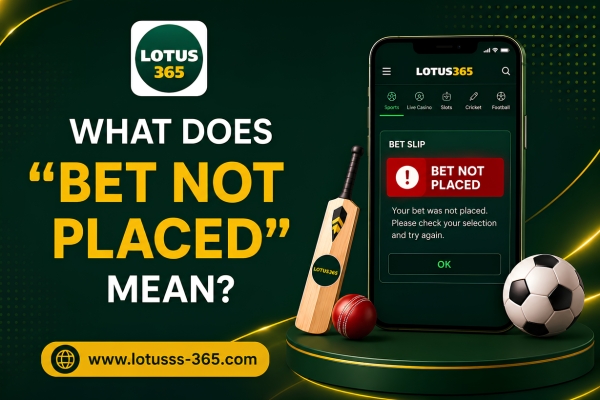
When you see a “Bet Not Placed” message, it means that Lotus365 did not accept your bet. This means your bet is not confirmed and it is not shown as a bet on Lotus365.
You might see this message before Lotus365 takes your money or before your bet is officially recorded on Lotus365. So you should always check your betting history or the section for bets on Lotus365 to see if your bet was accepted by Lotus365.
Common Reasons a Bet May Not Be Placed
One common reason is that the odds changed before you could confirm your bet.
Odds Changed Before Confirmation
Sports betting odds can change fast, especially during a big game or live match. If the odds change after you choose your bet but before confirmation, the bet may not go through.
Refresh the betting slip and review the updated odds before trying again.
Betting Market Was Suspended
A market may be temporarily suspended when a goal, wicket, or point is scored, a referee review is taking place, a player is injured, important match events occur, or the event is about to begin.
Markets often reopen once the event stabilizes.
Insufficient Account Balance
Your available balance must be enough to cover the selected stake.
Check your available balance, pending transactions, and minimum betting requirements before placing another bet.
Event Has Already Started or Closed
Some betting markets close shortly before or immediately after an event begins. If the market has closed, new bets may no longer be accepted.
Internet Connection Problems
A slow or unstable internet connection may interrupt communication between your device and the betting platform.
Switch to stable Wi-Fi or mobile data, refresh the page, and try placing the bet again after reconnecting.
Temporary Technical Issues
Temporary maintenance or high user activity may affect normal platform performance. Waiting a few minutes before trying again often resolves temporary issues.
Account Verification or Restrictions
Some account-related requirements may temporarily limit certain activities. Verification may be pending, security checks may be in progress, or certain account restrictions may apply.
Review your account status or contact customer support for clarification.
Betting Limits
Some betting markets may have minimum or maximum stake limits. If your selected stake falls outside the permitted range, the bet may not be accepted.
How to Troubleshoot the Problem
If you receive a “Bet Not Placed” message, try the following steps.
Refresh the Page or App
Refreshing the website or reopening the mobile app may resolve temporary loading issues.
Check Your Internet Connection
Restart your connection, switch networks, and retry after reconnecting.
Review Your Betting Slip
Verify the selected event, betting market, odds, and stake amount before submitting again.
Confirm Your Account Balance
Ensure sufficient funds are available and refresh your balance if necessary.
Log Out and Log Back In
Signing back into your account may refresh your session and resolve temporary account issues.
Update the Mobile App
Install the latest app version to benefit from bug fixes and performance improvements.
Clear Browser Cache
Clearing cached files and cookies may resolve browser loading or display issues.
Wait and Try Again
If the issue appears temporary, waiting a few minutes before trying again may help.
When Should You Get In Touch With Customer Support?
If the problem is still there after you have tried to fix it, you should get in touch with customer support. To help them figure out what is going on, it is a good idea to give them some information.
Here are some things that will be useful:
- Date and time the issue occurred
- Name of the sporting event or match
- The betting market you were using
- A screenshot of the error message if you have one
- What kind of device you are using
- What browser or app version you have
- What happened when the problem occurred
Do not keep trying to place bets while the problem is still happening. This can be. It will be hard to know if your bet was accepted or not. Customer support needs to fix the problem. Then you can place your bets again.

Tips to Help Avoid Bet Placement Issues
Although not every issue can be prevented, these practices may reduce the likelihood of encountering errors.
Related Help Topics
You may also find these support topics useful.
Benefits of Knowing Lotus365 Bet Not Placed Issues
A “Bet Not Placed” message can pop up for various reasons. These include changing odds, markets being suspended, problems with your internet, not having balance, or technical issues.
In cases where you can fix the issue by checking your betting slip, making sure your internet is working, refreshing the page, or waiting a bit and trying again.
If the problem keeps happening, it’s a good idea to contact customer support and give them all the details. They can help figure out what’s going on. Knowing these issues can make it easier to solve the problem and find out if your bet was accepted.
Frequently Asked Questions
Why was my bet not placed?
There are a few reasons. The odds might have changed. The betting market could be suspended. You might not have money in your account. Your internet connection could be bad.. There might be some technical issues.
Will my money be taken if my bet is not placed?
Usually if a bet is not accepted, it is not counted as a bet. You can check your account balance. Betting history to see what happened.
Can changing odds stop my bet from being accepted?
Yes, it can. If the odds change before you confirm your bet, your original request might not be valid anymore.
Why is a betting market stopped?
Markets can be stopped during moments in a game like goals or injuries. This is while they update the information.
Can I place the bet again?
If the market is still open, you can look at the odds and try again.
Does checking my account affect bet placement?
It might. If your account is being checked or has some limits, you might not be able to do things.
Can a bad internet connection cause this problem?
Yes, it can. A bad connection can mess up your bet request.
What should I do if the problem keeps happening?
Follow the steps to fix the problem. If it still doesn’t work, contact customer support. Give them details, like the event, time, and any error message.
How can I avoid this problem?
Use an internet connection. Check your balance. Look at your betting slip. Place bets before markets close. Keep your app or browser updated. This can help prevent issues.